I’ve been obsessed with Astro’s view transitions lately. There’s something deeply satisfying about a site that feels like a single-page app (SPA) but is actually just a bunch of static HTML files. In my local dev environment, it was perfect—instant, buttery-smooth page swaps without a single white flash.
Then I deployed it as a static app on my server using Nginx.
Suddenly, that “instant” feeling was gone. Every time I clicked a link in the navbar, the browser did a full, clunky refresh. I was like “[o.O] where’s the beautiful, instant SPA-like transitions?”. No errors. No warnings. Just a broken experience.
The “Aha!” Moment
After scratching my head for a while, I did what I should have done ten minutes earlier: I opened the network tab.
I clicked on /blog and watched the waterfall. Instead of a clean 200 OK fetch for the content, I saw a 301 Moved Permanently. A few milliseconds later, a second request went out for /blog/—with that sneaky trailing slash.
The culprit? Nginx.(* dun dun dun *)
The 301 Trap
When Astro builds your site, it defaults to a directory structure. src/pages/blog.astro becomes dist/blog/index.html.
When your production Nginx server gets a request for /blog, it looks for a file. It doesn’t find one. But it does find a directory named blog. Nginx, being “helpful,” issues a 301 redirect to /blog/ to tell the browser it should be looking inside that directory.
In a traditional site, you’d never notice this. It happens in the blink of an eye.
But for View Transitions, this redirect is a dealbreaker. Astro’s client router intercepts your click and tries to fetch the next page via JavaScript. When it hits a server-side redirect, it decides to play it safe—to prevent any potential state mismatch or URL confusion, it bails out of the “instant swap” and lets the browser handle the navigation the old-fashioned way.
Full refresh. White flash. Transition ruined.
The Fix
The solution was two-fold and, in hindsight, incredibly pragmatic.
1. Align the Config
Tell Astro to be explicit about trailing slashes so your app works with Nginx’s directory-serving behavior rather than against it. In astro.config.mjs:
export default defineConfig({
  // Ensures internal links and dev-mode warnings enforce /blog/ over /blog
  trailingSlash: "always",
});
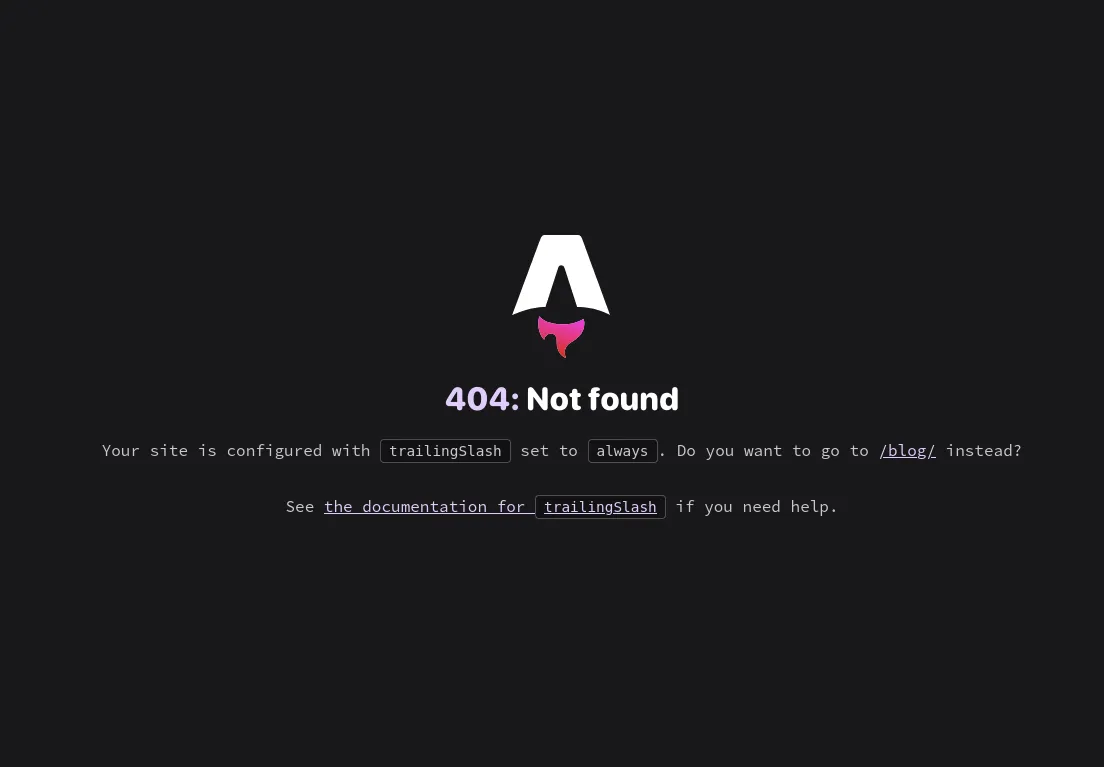
Note: This setting primarily affects dev-time behavior and Astro’s internal link generation. In production, it’s Nginx’s directory structure that actually enforces the trailing slash—you’re aligning with it, not overriding it. To make sure you’ve handled the change in your hyperlinks, Astro smartly reminds you of that by showing this image:
2. Audit Your Hardcoded Links
For any links manually written in components, add the slash explicitly:
<!-- old and busted -->
<a href="/blog">blog</a>

<!-- new and hot -->
<a href="/blog/">blog</a>
3. (Alternative) Fix It at the Nginx Level
If you can’t update every hardcoded link, you can also handle this in your Nginx config using try_files:
location / {
  try_files $uri $uri/ $uri/index.html =404;
}
This tells Nginx to serve index.html from within the directory without issuing a redirect—so the client router never sees a 301 in the first place.
What Are View Transitions, Anyway?
If you’re new to modern web development, you might be wondering why we’re making such a fuss over a “transition.”
In a traditional website, every time you click a link, the browser throws away the current page and fetches an entirely new one. You see a white flash, the scroll position resets, and any in-memory state is lost.
View Transitions change this. They use a browser-native API—with Astro’s own JavaScript fallback for browsers that don’t support it yet—that animates the swap between two pages. It makes a Multi-Page App (MPA) feel as smooth as a heavy Single-Page App (SPA), but with far better performance because you’re still just serving static HTML files.
The Two-Layer Routing Problem
This is where the JAMstack architecture gets interesting. In a static Astro + Nginx setup, “routing” actually happens in two places:
- The Client (Browser): Astro’s router intercepts clicks to make transitions smooth.
- The Server (Nginx): It delivers the physical
.htmlfiles from disk.
The 301 Trap happens when these two layers disagree. The browser asks for /blog, but the server says “Actually, that’s a folder—ask for /blog/ instead.” That one extra character is enough for the client router to lose confidence and fall back to a full-page reload.
Consistency Is Key
This was a good reminder that “works on my machine” is only half the battle. Dev environments are forgiving and smart; production environments like Nginx are robust and literal.
The moment I matched my internal links to the actual structure of the filesystem on the server, the transitions came back to life.
Lesson learned: If your transitions are vanishing, follow the redirects. The network tab almost always has the answer.